Best AI Image Generator in 2026: ChatGPT vs Gemini vs Adobe Firefly
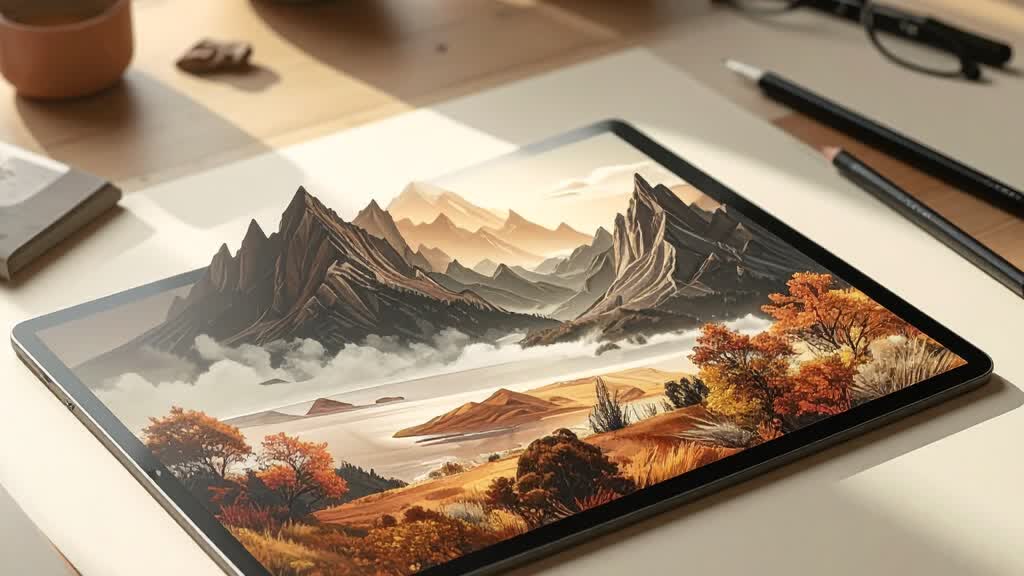
The best image generator depends on whether you need conversational edits, Google’s image tools, an Adobe creative workflow, or a fast design canvas. Always check rights and terms for your use case.
- Best for prompt-led editing — ChatGPT Images combines generation and conversational edits; available features vary by plan and rollout.
- Best for Google/Gemini workflow — Gemini’s image tools support prompted creation and editing; model and access options vary by account.
- Best for a design suite — Adobe Firefly and Canva connect image generation to creative/design workflows; check current terms and model selection.
Google Trends’ published U.S. “best AI for…” list includes image generation as one of the leading AI search themes. It does not publish a universal product winner or, on the chart itself, a keyword-volume promise. So instead of ranking images on taste alone, this guide matches four tools to the job: ChatGPT Images, Gemini’s Nano Banana, Adobe Firefly, and Canva.
Short answer: use ChatGPT Images if you want to create and refine through conversation; try Gemini when you work in the Google ecosystem or want its image editing tools; use Firefly if you already rely on Adobe’s creative workflow; choose Canva when generation is one step in a social, presentation, or design project. Results and access change quickly, so test your own prompt before paying.
Compare by workflow
| Tool | Strong starting fit | Check before committing |
|---|---|---|
| ChatGPT Images | Conversational generation, iterative changes, and editing uploaded images | Current plan/API availability, output limits, and usage rights for your intended work. |
| Gemini Nano Banana | Image creation and editing in Gemini; Google describes image-specific tools and model choices | Which model and controls are enabled for your country, account, and plan. |
| Adobe Firefly | Creative workflows with image generation/editing and Adobe products; partner models are also listed | Model-specific terms, plan credits, and commercial-use conditions. |
| Canva AI | Generate visual concepts inside a design canvas, select styles/aspect ratios, then continue layout work | Current feature limits and Canva’s content/license terms for your intended use. |
ChatGPT Images: ask for changes in plain language
OpenAI’s Images announcement describes generating from scratch and editing images with instructions, including adding, removing, combining, and transforming elements. The product is useful when you want several conversational rounds rather than repeatedly rebuilding a prompt from zero. OpenAI has continued to update its image experience, so check the current product page for the available model and account access.
Try it for: an illustrative concept, a scene variation, or iterative edits to a supplied image. Check: whether your chosen plan allows the required output volume and whether a generated image is suitable for commercial or branded use.
Gemini: image creation and editing in Google’s assistant
Google’s Gemini image-generation page describes creating images from prompts and editing supplied images, with model choices surfaced in the Gemini app. This can suit people who already use Gemini for planning or research and want to keep the visual iteration in the same assistant. Model names, limits, availability, and controls can change, so use the current product page rather than a stale review.
Adobe Firefly: generation inside a creative suite
Adobe Firefly offers image creation and related creative tools, and Adobe’s site also lists partner image models. That breadth makes it worth testing when your process includes more than a standalone image—such as editing, composition, or asset production in Adobe apps.
Important: do not treat “Firefly” as one fixed model or assume blanket commercial clearance for every output and partner model. Review Adobe’s current terms, content credentials information, and the specific model’s conditions before using an image in a client campaign, product, or advertisement.
Canva: make an image as part of a design
Canva describes an AI image generator with style and aspect-ratio options, refinement, and the ability to continue working with its design and editing tools. It is a practical choice when your end product is already a presentation, poster, or social post—not just an exported image file.
A fair test you can run yourself
- Write one prompt describing the same subject, composition, aspect ratio, and intended use.
- Run it in each product without changing the brief. Save the output and note the model, plan, and date.
- Check visual fidelity, legible text (if needed), unwanted details, editability, and time-to-finish.
- For an existing image, test a small edit and check whether the rest of the composition stays as intended.
- Read current plan limits, privacy terms, and commercial-use rules before publication.
Be careful with people’s likenesses, logos, copyrighted characters, and private photographs. Do not upload material unless you have permission and understand the provider’s data controls. Generated images can still contain visual artifacts or misleading details; inspect the final file at full size.
Looking for another “best AI for” decision? Compare AI writing assistants or AI math solvers.
Prices and benchmark figures are standard published rates as of September 23, 2026 and can change without notice. Some outbound links may be affiliate links — see our disclosure. Found an error? Tell us and we'll correct it in public.