Cursor Voice Chat: Talk to Your Agent While It Codes
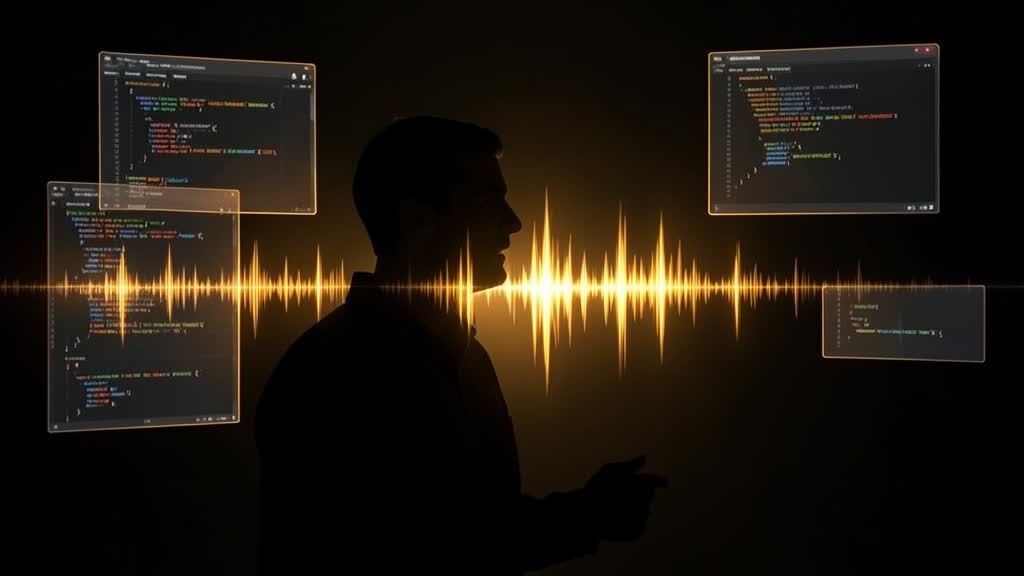
Cursor shipped voice chat on November 6, 2026: a realtime spoken conversation with an agent that answers out loud while it works. It runs in the Agents Window, the IDE, the web app and Cursor for iOS, is powered by Grok Voice, and is deliberately separate from dictation.
- What shipped — Voice chat is a realtime spoken conversation with an agent: you talk, the agent talks back, and you can hand it coding work without typing. It works in the Agents Window, the IDE, the web app and Cursor for iOS.
- What powers it — Cursor says voice chat runs on Grok Voice, with Ara, Eve, Leo, Rex and Sal among the voices selectable in Voice settings.
- Privacy — With Privacy Mode enabled, Cursor says voice conversations have zero data retention.
- Not dictation — Dictation turns speech into text in the chat input. Voice chat is a two-way conversation where the agent answers out loud, so you can keep working while it runs.
What shipped on November 6
Related guide: Claude Fable 5.2 and Mythos 5.2: pricing, benchmarks, access
The changelog describes voice chat as a realtime spoken conversation with an agent. The mechanic is simple: you speak, the agent speaks back, and you can give it coding work conversationally. Cursor lists four surfaces — Agents Window, IDE, web, and Cursor for iOS — which means the same session can be supervised from a phone while the work happens on a machine elsewhere.
Cursor also states the implementation: voice chat runs on Grok Voice, with Ara, Eve, Leo, Rex and Sal among the voices offered in Voice settings. That is a notable supply-chain detail. Cursor's agent models are chosen per task; its voice layer is now a third-party model too, and users should read the privacy section below with that in mind.
How a voice session actually runs
Related guide: Claude Agent Memory: Anthropic's Dreaming Fixes Stale Notes
The docs frame the workflow as conversation plus background work. You speak a task, the agent starts running, and the call stays open. While it works you can ask about the diff it just produced, check on a run, search earlier messages or earlier calls, and switch to a different worker — all without leaving the conversation.
Cursor's own description of the agent's side is that it "speaks progress notes". That is the feature's real design bet: not that voice is a faster way to type a prompt, but that a spoken channel is a better way to monitor long-running work. A coding agent that runs for twenty minutes is mostly a status problem. A voice line that narrates what it is doing turns supervision into something you can do while walking, cooking, or looking at something else.
On iOS the integration goes further: you can start a session with a Siri phrase, and a Live Activity gives you mute and hang-up controls from the Lock Screen. Those are small details with a clear intent — make the phone a legitimate control surface for a desktop agent, not a remote viewer.
Voice chat is not dictation
Related guide: IBM and Microsoft Launch Imagine Enterprise Agent Platform
Cursor draws the distinction explicitly, and it is worth repeating because the two get conflated in coverage. Dictation converts your speech into text in the chat input: it is an input method, and after transcription you are back to reading and typing. Voice chat is a two-way conversation where the agent answers aloud, so you can hold a dialogue, interrupt, and redirect.
In practice the split matters for cost and for attention. Dictation is cheap and silent; voice chat occupies an audio channel and invites you to stay in the loop. Choose dictation when you know what you want to say and want it in writing. Choose voice chat when you want to steer something that is already running.
Privacy: what the zero-retention mode covers
Related guide: Businesses in ChatGPT: Business Hub and Business Agents
Cursor says that with Privacy Mode enabled, voice conversations carry zero data retention. That is the right default to check first, because voice is a different data class from text: audio carries speaker identity, background conversation, and anything else the microphone picks up.
Two caveats are worth stating rather than glossing. First, the promise is scoped to Privacy Mode — teams that have it off should assume standard retention applies, and should confirm the current terms in Cursor's privacy documentation rather than relying on a changelog sentence. Second, the voice layer is a third-party model, so the relevant question is not only what Cursor stores but what its voice provider processes; a zero-retention claim is only as strong as its coverage of subprocessors.
Where this fits in the agent stack
Related guide: Best VPS for AI agents in 2026: Hetzner vs AWS Lightsail vs EC2
Voice chat lands in a crowded month for agent interfaces: cloud agents that run in the background, mobile control surfaces, and review flows that try to keep a human in the loop without keeping them at a desk. Cursor's version is less about autonomy and more about supervision bandwidth — the constraint that shows up when an agent can do more work than a person can watch.
That framing also explains the limits. Voice is poor for precise code review; you cannot skim a 400-line diff by ear. It is good for intent, priority, and course correction — "stop, that migration is wrong, check the index first". The feature will be judged on whether the agent's spoken updates are actually informative or just noise, and on whether the call survives the moments when the network does not.
Bottom line
Related guide: Snowflake Business Ontology and Cortex AI Gateway Guide
If you already run Cursor agents: try voice chat on one long task and judge it on the progress notes, not on the novelty of talking. Turn Privacy Mode on before your first call, and check what your team's setting actually is.
If you are comparing agent tools: voice is becoming table stakes rather than a differentiator. What matters is whether the spoken layer is wired into real work — diffs, runs, earlier context — or bolted on as a microphone button.
If you handle compliance: treat voice as a new data flow. Zero retention is a claim to verify in writing, including for the voice provider, before anyone records a call about production code.
Frequently asked questions
What shipped
Voice chat is a realtime spoken conversation with an agent: you talk, the agent talks back, and you can hand it coding work without typing. It works in the Agents Window, the IDE, the web app and Cursor for iOS.
What powers it
Cursor says voice chat runs on Grok Voice, with Ara, Eve, Leo, Rex and Sal among the voices selectable in Voice settings.
Privacy
With Privacy Mode enabled, Cursor says voice conversations have zero data retention.
Not dictation
Dictation turns speech into text in the chat input. Voice chat is a two-way conversation where the agent answers out loud, so you can keep working while it runs.
Prices and benchmark figures are standard published rates as of November 8, 2026 and can change without notice. Some outbound links may be affiliate links — see our disclosure. Found an error? Tell us and we'll correct it in public.